The photographer hands over a download link. You click it once, feel relieved, and close the tab. Six months later the link has expired, the photographer has moved studios, and the only copy of your wedding exists on someone else's server with a ticking clock on it. This is not a rare story. It is the default one.
Get the Files Off the Delivery Platform First
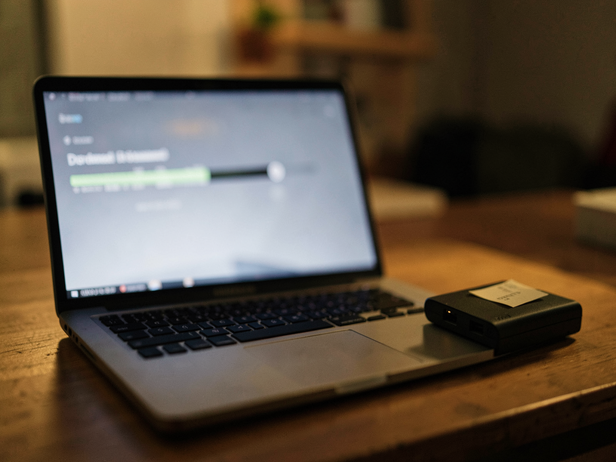
![Dusk Data Transfer Still Life]()
Dusk Data Transfer Still Life
Image credit : AI
Safely store your precious memories. This image evokes the importance of how to store wedding photos safely.
The moment your gallery link arrives, download everything before you do anything else. Most delivery platforms, Pixieset, Shootproof, Google Drive, WeTransfer, expire links between 30 days and 12 months after delivery. WeTransfer free links die in seven days. Do not treat the gallery link as storage. It is a handoff, not a home.
Download the full-resolution originals, not the web-optimised previews. Most platforms offer a button labelled Download All or Download Originals. If yours does not, write to the photographer and ask for the originals explicitly. A JPEG compressed for web sharing is roughly one-fifth the file size of the original. At print size, the difference is visible.
Once downloaded, rename the folder immediately. Something like 2025_WeddingName_Photos_ORIGINALS. The word ORIGINALS in the folder name will save you from accidentally treating a compressed copy as the master later.
The 3-2-1 Rule Applied to Something You Actually Care About
The 3-2-1 backup rule is old enough that photographers invented it before cloud storage existed, and it still holds: three copies, on two different types of storage, with one copy off-site. For wedding photos, a workable version looks like this.
Copy one: an external hard drive kept at home. A 2TB drive costs under ₹5,000 and holds roughly 40,000 high-resolution JPEGs. Buy two drives, not one. Hard drives fail, and they fail silently. Western Digital and Seagate both make drives built for long-term archival use; look for their My Passport or Backup Plus lines. Copy two: a second external drive kept somewhere other than your home, a parent's house, a trusted friend. This is the copy that survives a fire, a flood, or a theft. Copy three: cloud storage. Google Photos with a paid storage plan, iCloud, or Amazon Photos (which gives Prime members unlimited photo storage at original resolution) all work. Upload the originals, not the compressed previews.
Set a reminder to check the drives once a year. Plug them in, verify the files open, and copy them to a new drive every five years. Hard drives have a reliable lifespan of roughly three to five years under normal conditions, longer if stored in a cool, dry place and not dropped.
Organise Before You Forget What Anything Means
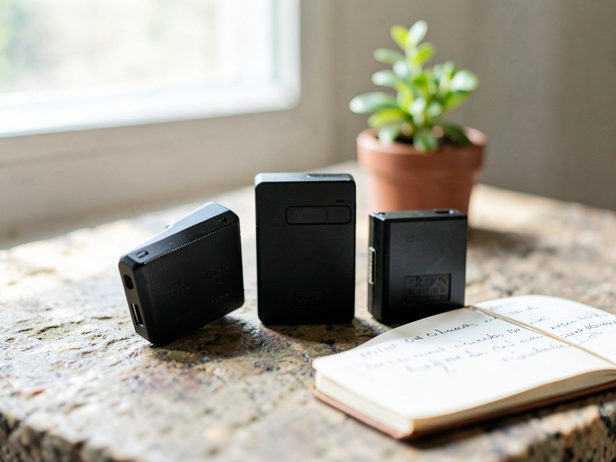
![Digital Storage Trio]()
Digital Storage Trio
Image credit : AI
Securely store your precious memories. Essential for wedding photo backup tips and safe storage.
Six months after the wedding, you will not remember which folder is the getting-ready sequence and which is the reception. Do this while the day is still fresh.
Create subfolders by moment: Preparation, Ceremony, Portraits, Reception, Details. Move files in bulk. If your photographer delivered images already numbered sequentially, the numbers will roughly follow the day's order, use that as your guide. Do not rename individual files; the original filenames carry EXIF metadata including the exact time each frame was taken. Renaming breaks that chain.
Add a text file inside the master folder called README.txt. Write in it: who the photographer was, the date, the location, the delivery platform, and where the other backup copies live. Future you, or someone else opening this folder in thirty years, will need that context.
Make the Photos Actually Visible in Daily Life
A folder on a hard drive is an archive, not a memory. The images need to exist somewhere you encounter them without going looking.
Google Photos and Apple Photos both support automatic imports from a folder. Set your originals folder to sync, and both apps will surface memories, anniversaries, and random throwbacks without you doing anything. This is the lowest-effort way to keep the photos alive in daily life.
For something physical, Canva, Artifact Uprising, and Zoomin (which ships across India) all let you build a photobook from uploads in under an hour. A single hardcover book of 30 to 40 images costs between ₹800 and ₹3,500 depending on size and paper. Order one copy for yourselves and one for each set of parents. A photobook does not require anyone to open an app.
For a single framed print, export one image from your originals folder at its full resolution and send it to a local print lab, not a pharmacy kiosk. A proper photo lab prints at 300 DPI minimum; a kiosk typically prints at 150. The difference is obvious at anything larger than 20x30 cm.
What to Ask the Photographer Before the Wedding
Most of the problems above are easier to prevent than to fix. Three questions asked before you sign a contract will save significant trouble later.
First: how long will you hold a backup of our files after delivery? Reputable photographers keep a working backup for at least one year. Some keep them indefinitely. Know the window before you assume it is forever. Second: what format and resolution will the files be delivered in? The answer should be full-resolution JPEG or RAW, not web-optimised. Third: what is the delivery platform and how long does the link stay active? If the answer is WeTransfer, ask for a Google Drive or Dropbox link instead.
None of these questions are unusual. Any photographer who has worked more than a few weddings will answer them without hesitation. The ones who cannot answer them clearly are telling you something useful about how they run the rest of their business too.
Wedding photographs are the one set of images most people will never be able to reshoot. The planning that goes into the day rarely extends to the hour after the files arrive. One afternoon spent downloading, duplicating, and organising turns a fragile link in an inbox into something that will still open cleanly in twenty years.